Search engines don’t read your clinic’s website like people do. A patient may see a nice service page and the doctor’s background. But Google sees something else. Its bots just read a big block of text. If search algorithms can’t sort your clinical data right away, your practice will not show up for important medical searches.
As we shared in our main Healthcare, Dental & Medical Aesthetics SEO Guide, it is important to follow strict rules for technical SEO to do well in today’s search results. You need to turn your clinical facts into words and ways that search engines can read without trouble. This is true no matter if you are working in healthcare or doing anything with seo.
This is where healthcare structured data can help. This is your guide to use MedicalClinic, Physician, and MedicalConditionschema. Using these will help you stand out locally. It will also link your practice to the Google Knowledge Graph.
Key Takeaways
- Algorithmic Translation: Schema markup, especially JSON-LD, helps turn web content from text read by people into set data points that search engines and AI use.
- Local Dominance: Using the
MedicalClinicschema is a must if you want your practice to show up in the local map pack. This schema tells search engines about your hours, where you are, and what insurance you accept. - E-E-A-T Verification: The
PhysicianJSON-LD links each doctor to known health databases and Google’s Knowledge Graph. This shows your medical team has real authority online. - Symptom Mapping: A
MedicalConditionschema lets search engines know just what disease or symptom is covered on one web page. This helps stop the algorithm from getting it wrong. - Precision Matters: If schema markup is not done right, or if your code is broken or set up wrong, you can get rich snippet mistakes or lose them. Accurate schema and SEO can keep your google search visibility strong.
What is Healthcare Structured Data (JSON-LD)?
Structured data is a set way to label what is on a web page. The vocabulary for this is found at Schema.org. Google says you should use JSON-LD for this. JSON-LD uses javascript and helps google understand the data on your site.

When you add healthcare JSON-LD in your website’s header, you do not have to let Google guess what your page talks about. You give clear facts. You tell Google, “This page is for a medical clinic at this spot, with this doctor who is licensed, and they treat this medical condition.”
This strong and clear meaning is what makes top clinic websites stand out from simple online pamphlets.
1. MedicalClinic Schema: The Foundation of Local SEO
If you own a general practice or dental clinic, you need to use the MedicalClinic schema. It helps Google read your NAP (Name, Address, Phone number) clearly. This makes your place show up right in local search.
This code needs to be on your homepage. It should also be on your location or contact pages.
Example MedicalClinic JSON-LD Structure:
JSON
{
  "@context": "https://schema.org",
  "@type": "MedicalClinic",
  "name": "Bayan Lepas Premier Family Clinic",
  "image": "https://www.yourclinic.com/images/clinic-exterior.jpg",
  "@id": "https://www.yourclinic.com/#clinic",
  "url": "https://www.yourclinic.com",
  "telephone": "+604-123-4567",
  "address": {
    "@type": "PostalAddress",
    "streetAddress": "123 Jalan Mahsuri",
    "addressLocality": "Bayan Lepas",
    "addressRegion": "Penang",
    "postalCode": "11900",
    "addressCountry": "MY"
  },
  "geo": {
    "@type": "GeoCoordinates",
    "latitude": 5.3296,
    "longitude": 100.2858
  },
  "openingHoursSpecification": {
    "@type": "OpeningHoursSpecification",
    "dayOfWeek": [
      "Monday",
      "Tuesday",
      "Wednesday",
      "Thursday",
      "Friday"
    ],
    "opens": "08:00",
    "closes": "20:00"
  },
  "medicalSpecialty": "https://schema.org/PrimaryCare"
}
2. Physician JSON-LD: Connecting to the Knowledge Graph
Google uses YMYL, which stands for Your Money or Your Life, to check medical content. To go through this filter, you need to show the E-E-A-T of your medical team. This means Google wants to see the experience, expertise, authoritativeness, and trustworthiness of the people making your medical content.
The Physician schema helps you connect a doctor on your website to other important places. These can be their university, the hospital they work at, or the national medical council where they are registered. By doing this, you match your site with the bigger Google Knowledge Graph and make sure people see the right links. This is a good way to use schema for your google needs.
Example Physician JSON-LD Structure (Nested):
JSON
{
  "@context": "https://schema.org",
  "@type": "Physician",
  "name": "Dr. Julian Song",
  "jobTitle": "Chief Medical Officer",
  "image": "https://www.yourclinic.com/images/dr-song.jpg",
  "url": "https://www.yourclinic.com/doctors/dr-julian-song",
  "medicalSpecialty": "https://schema.org/GeneralPractice",
  "identifier": {
    "@type": "PropertyValue",
    "propertyID": "Malaysian Medical Council (MMC) Registration",
    "value": "123456"
  },
  "alumniOf": {
    "@type": "CollegeOrUniversity",
    "name": "University of Malaya",
    "sameAs": "https://en.wikipedia.org/wiki/University_of_Malaya"
  },
  "hospitalAffiliation": {
    "@type": "Hospital",
    "name": "Penang General Hospital"
  }
}
3. MedicalCondition Schema: Defining Clinical Treatments
When someone looks up a symptom or treatment, your service page faces big sites like WebMD or Mayo Clinic. Using the schema types MedicalCondition and MedicalWebPage can help your page stand out. These let you show the clinical focus of your content clearly.
By using the code property, you can connect the condition to well-known medical databases in the world, like ICD-10 or MeSH. This helps show the algorithm that your content is right and based on science.
Example MedicalCondition JSON-LD Structure:
JSON
{
  "@context": "https://schema.org",
  "@type": "Physician",
  "name": "Dr. Julian Song",
  "jobTitle": "Chief Medical Officer",
  "image": "https://www.yourclinic.com/images/dr-song.jpg",
  "url": "https://www.yourclinic.com/doctors/dr-julian-song",
  "medicalSpecialty": "https://schema.org/GeneralPractice",
  "identifier": {
    "@type": "PropertyValue",
    "propertyID": "Malaysian Medical Council (MMC) Registration",
    "value": "123456"
  },
  "alumniOf": {
    "@type": "CollegeOrUniversity",
    "name": "University of Malaya",
    "sameAs": "https://en.wikipedia.org/wiki/University_of_Malaya"
  },
  "hospitalAffiliation": {
    "@type": "Hospital",
    "name": "Penang General Hospital"
  }
}
Common Types of Medical Schema Markup and Their Applications
The main parts of clinical data are called MedicalClinic, Physician, and MedicalCondition. But schema is not limited to only these tags. The Schema.org system has many more tags you can use. Today, search tools use this long list of tags to organize things. The range covers simple doctor visits and complex medicine information. If you use these advanced schema tags the right way, your practice will show up for more specific patient searches. This helps you reach people looking for something very particular.
Deep Dive: Optimising Specific Medical Types
To really stand out in semantic search, a good technical SEO plan needs to use the right markup that matches what patients want. Here is a closer look at how you can improve more high-value medical schemas:
MedicalProcedure: Many patients look online to learn what will happen before they book an appointment. If your clinic does things like minor surgeries, ECGs, or large blood tests, it is good to wrap these service pages in theMedicalProcedureschema. The search engines can read properties likepreparation(for example, not eating for 8 hours) andhowPerformed. This will help your clinic show up better in rich snippets and AI Overviews on Google or other search engines.MedicalSpecialty: Make sure search engines and users do not get confused about what your clinic does. You should use themedicalSpecialtyproperty in your clinic or physician schema. Set it to things likePrimaryCare,GeneralPractice, orEmergency. This helps you show up for the right patients and cut out searches that do not match your practice.MedicalGuideline&MedicalScholarlyArticle: If your clinical team writes their own research or follows official protocols from the Ministry of Health, you should add these with schema. Adding this shows Google that your practice is all about Experience, Expertise, Authority, and Trust. It helps you be seen as a reliable and top-level clinic in search engines.FAQPage(Clinical Context): This is not just for medical schema, but usingFAQPageJSON-LD for symptom-based questions (like “How long does a fever last with Dengue?”) can help. Most
Implementing Medical Schema Markup: Best Practices
Writing JSON-LD code is just the first step. To set it up well across a big medical site, you need to be careful. Doing it wrong can lead to a problem with Google. Your site could lose all rich results. This may happen if you do not follow strict rules.
If you want to stay safe, use these best practices for schema and json. This will help you get rich results on Google without trouble.
Choose the Right Schema Types
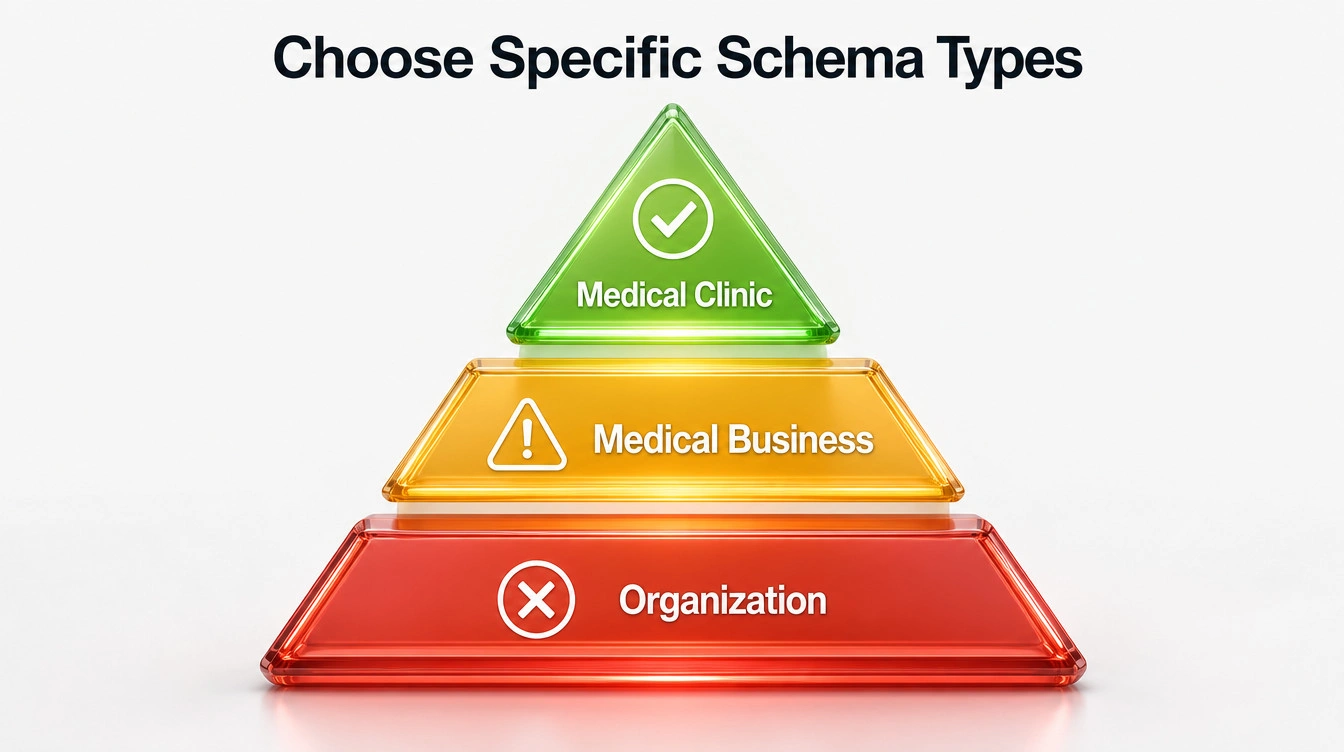
The golden rule for structured data is to be clear. You should not use a wide schema type if there is a more detailed one you can use.
- Do not pick
Organizationif you are good enough forLocalBusiness. - Do not choose
LocalBusinessif you fit withMedicalBusiness. - Do not go with
MedicalBusinessif you run aMedicalClinic.
You must follow the rule of visual representation when you use schema markup in JSON-LD. Do not add any information to your JSON-LD if people can not see it on your page. For example, if your schema shows a doctor has a 5-star rating or gives a price list, make sure people can see those details on the page. The data you add in your markup must be there for everyone to read.
Ensure Data Accuracy and Completeness
Search engines look at your clinic’s info and match it with big databases from around the world. If the details are not the same everywhere, the system will not trust your clinic.
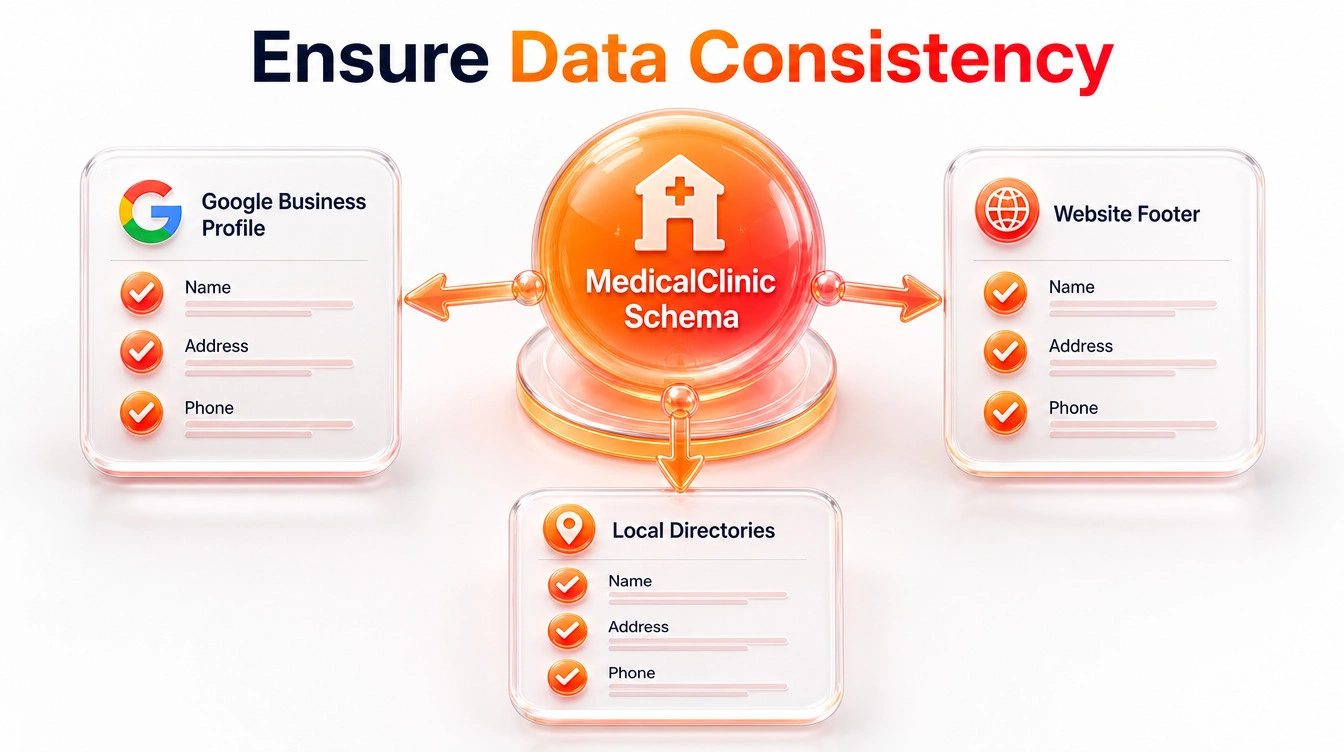
- NAP Consistency: Make sure the Name, Address, and Phone number in your
MedicalClinicschema are the same as on your Google Business Profile, local directory listings, and the footer of your website. - Credential Matching: When you add markup for
Physicianentries, the doctor’s name should match the registration recorded with the Malaysian Medical Council (MMC). If your schema does not match official medical records, your E-E-A-T signals will go down.
Validate Your Markup
Never add structured data to your clinic website without checking it first. A simple mistake, like a wrong comma in your JSON-LD code, can stop the whole script from working. If that happens, search engines will not see it.
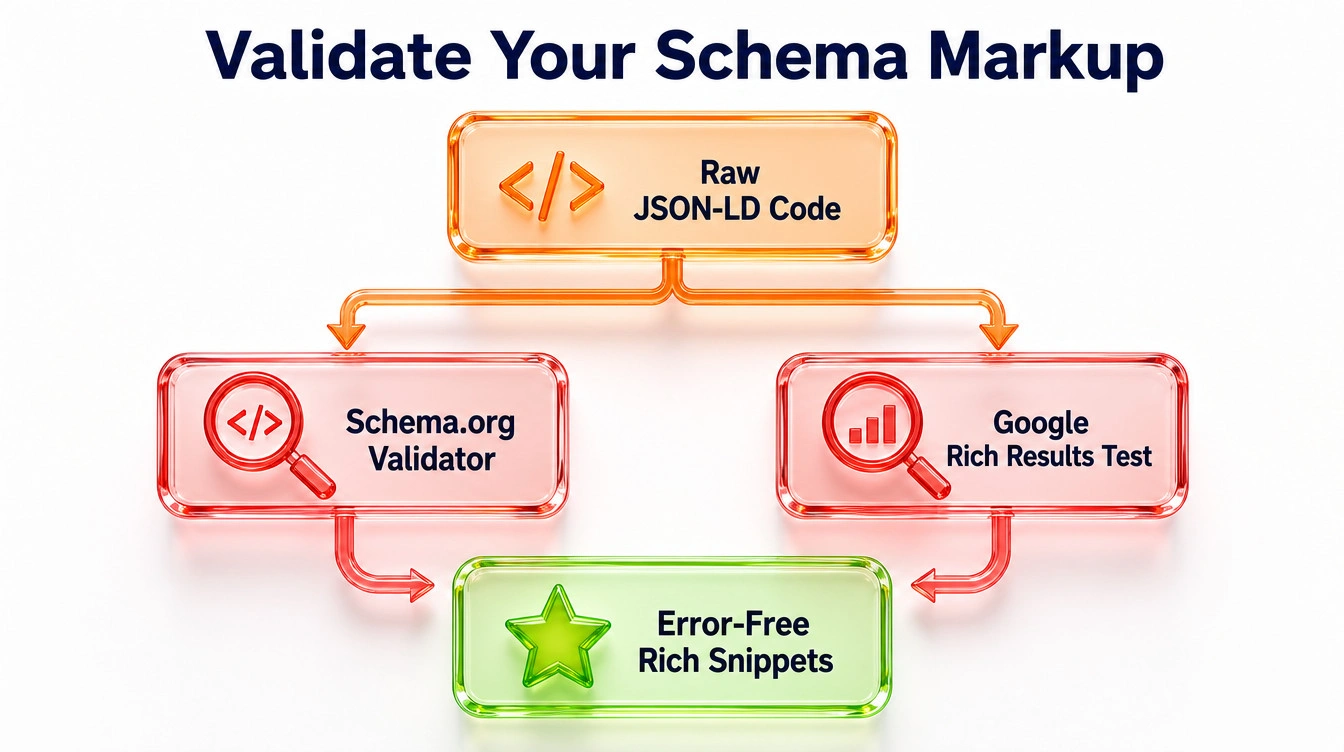
Before putting any schema online, you need to use two important tools to check your code.
- Schema.org Validator: This tool checks if the basic structure of your code matches the worldwide list of terms. It helps make sure your schema is done right.
- Google Rich Results Test: This test from Google shows you how the search engine sees your schema code. You can find out if your page can get rich snippets or rich results in search. Watch for Errors, these will stop your schema from working. Warnings mean there are missing pieces you can add to make your page stand out more with rich snippets on Google.
Frequently Asked Questions
Stop Guessing. Start Engineering Your Search Dominance.
If your structured data is set up wrong, it is worse than having no structured data. Search engines won’t read your website right. Because of this, your clinic may lose good patients to other clinics that use better tech.
You need a technical SEO agency that knows the code to work with clinical data. Ulement builds fast digital systems made just for healthcare providers.
Book Your Comprehensive Site Audit & Analysis with Ulement Today. Find out what technical problems could be stopping your medical practice from getting good results.