Patients searching for medical care expect immediate answers. If your clinic website takes longer than a few seconds to load, frustrated users will leave, directly damaging your local search rankings and costing you valuable booked appointments.
Key Takeaways
- Google’s mobile-first indexing prioritises mobile load speed to determine your baseline search ranking.
- Achieving a sub-1.2-second load speed drastically reduces bounce rates for urgent, high-intent medical queries.
- Heavy surgical videos and clinical galleries require modern WebP or WebM formats to pass Core Web Vitals.
- Local Malaysian hosting reduces server latency and protects sensitive patient data simultaneously.
The Psychology of Mobile-First Medical Websites
When patients search for healthcare, they are often in physical pain or seeking discreet aesthetic solutions directly from their smartphones. This mobile urgency means they will not wait for unoptimised pages to render. Google understands this behaviour and strictly enforces mobile-first indexing, meaning your mobile site speed completely dictates your overall search visibility.
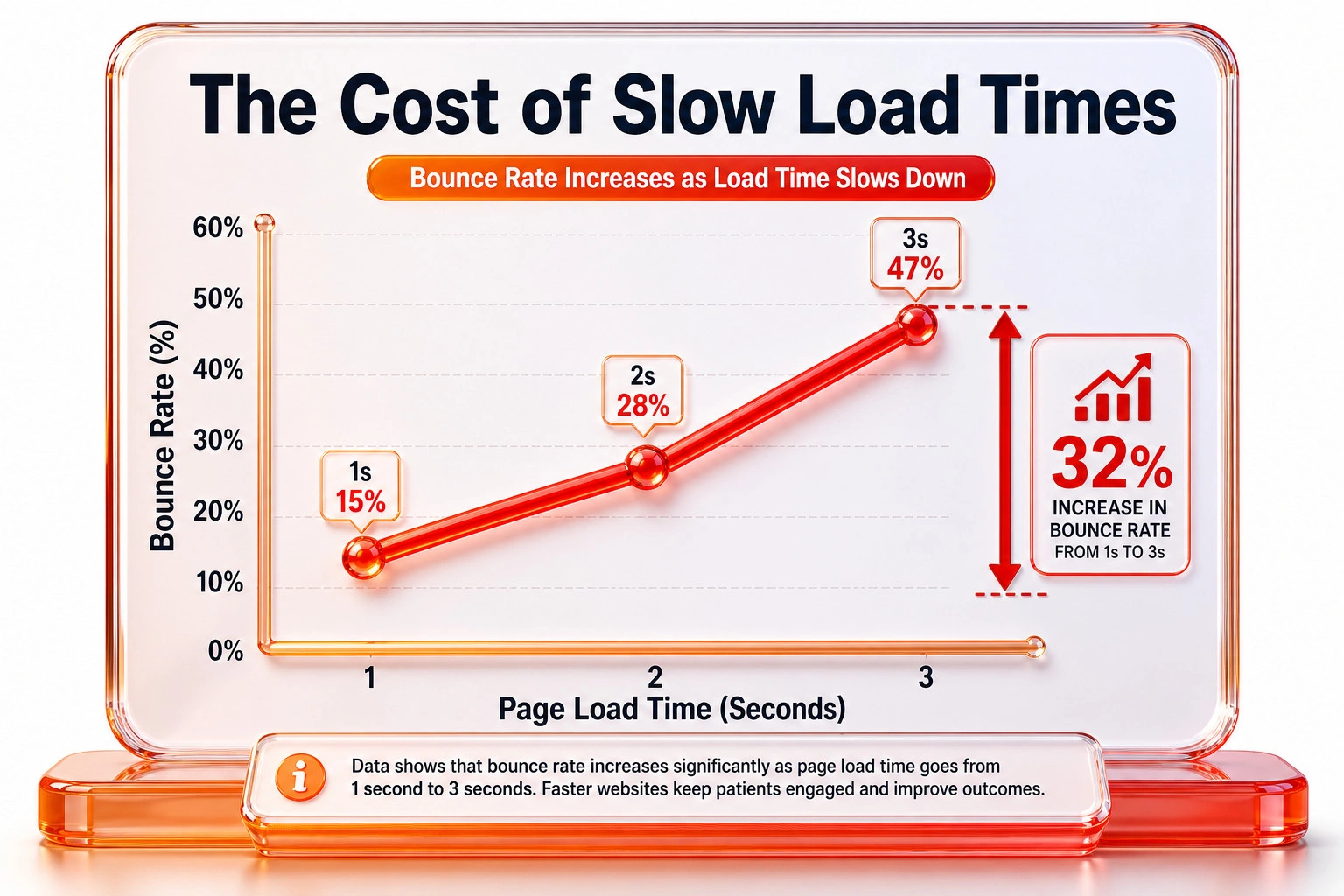
We explain this phenomenon heavily in our discussion on why beautiful websites are broken for search engines, noting that heavy design elements often destroy the user experience. A patient attempting to quickly check your clinic’s operating hours will immediately exit a page that stalls on a heavy hero image.
Q: Do patients really leave if a medical site is slow?
A: Yes. Data shows bounce rates increase by 32% when load times shift from one to three seconds. Ulement optimises clinic architecture to prevent these drop-offs entirely.
Why Does a Sub-1.2-Second Load Speed Matter?
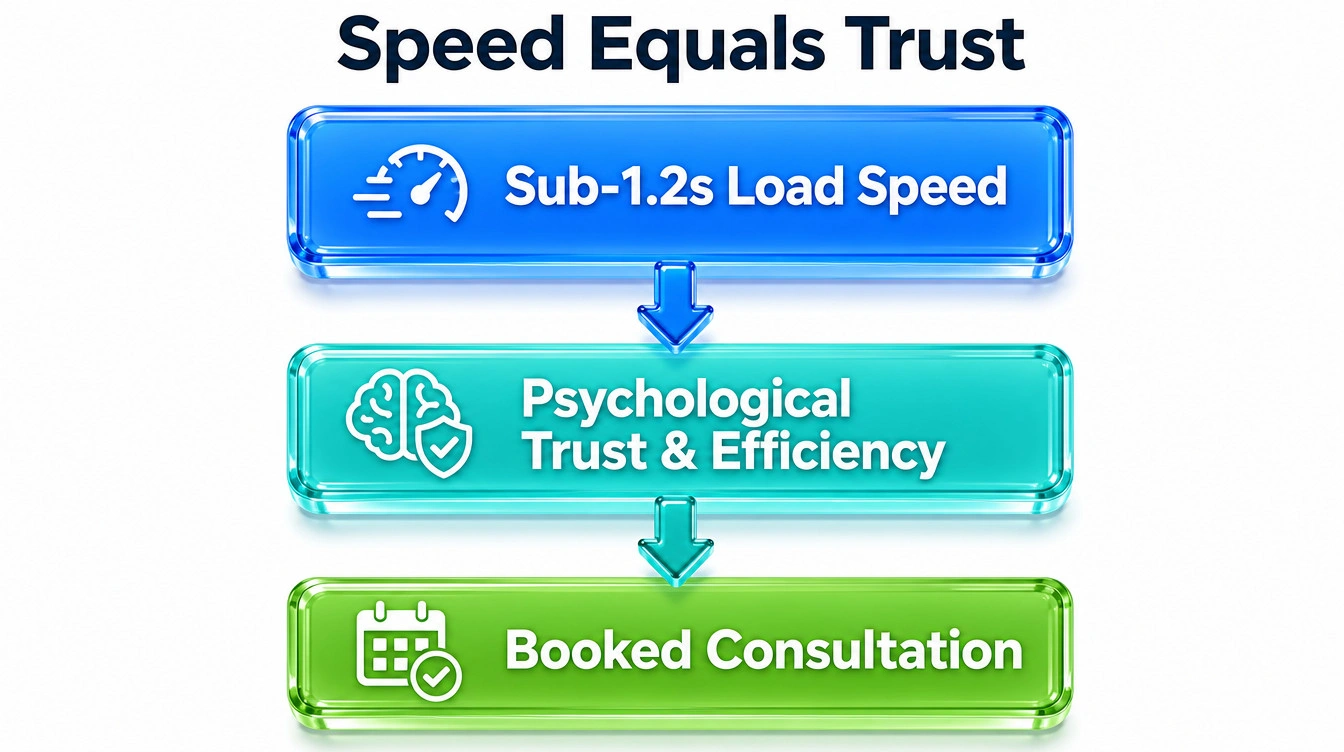
A sub-1.2-second load speed acts as an immediate psychological trust signal. In a competitive market like George Town or Kuala Lumpur, patients associate instant digital performance with professional clinical efficiency. If your competitor’s page loads instantly and yours lags, you lose the patient before they even have a chance to read your doctors’ credentials.
Q: How do I test my clinic’s current mobile speed?
A: Use Google PageSpeed Insights for baseline data. Ulement provides comprehensive technical audits to identify exact code bottlenecks in your medical website.
Managing Core Web Vitals in Healthcare
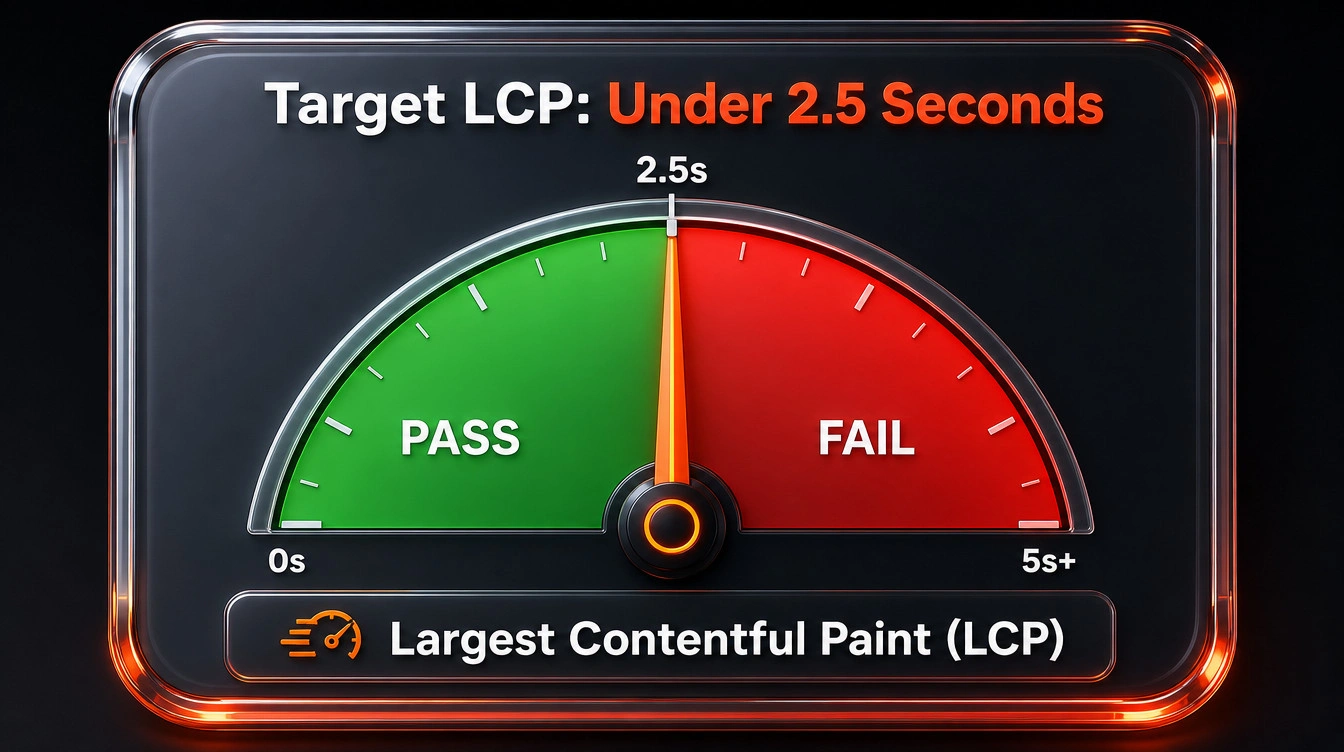
Core Web Vitals healthcare metrics measure actual human user experience rather than just raw server responses. The most critical metric for clinics is Largest Contentful Paint (LCP), which tracks how quickly your main page content becomes visible.
According to official Google Search Central documentation, your LCP must occur within 2.5 seconds to pass algorithmic standards. Failing this test prevents your clinic from achieving top local map rankings. You require a stable technical SEO architecture built on local Malaysian servers (such as Exabytes, ServerFreak) to reduce latency and pass these rigid algorithms consistently.
Q: What happens if my clinic fails Core Web Vitals?
A: Search algorithms will suppress your visibility in local organic results. Ulement rebuilds infrastructures to pass these technical thresholds and restore lost traffic.
Optimising Heavy Assets Without Losing Quality
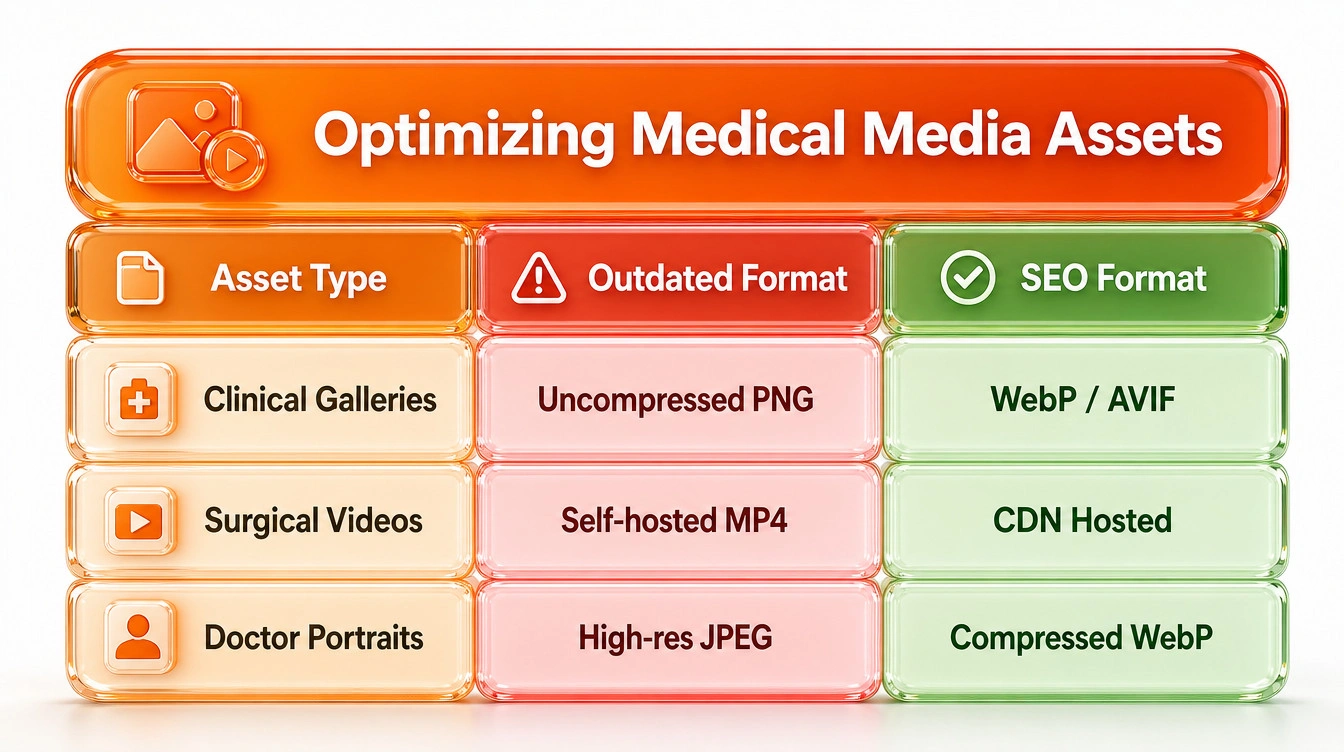
Aesthetic clinics rely on visual evidence to build trust. You need high-resolution cosmetic galleries and surgical videos to convert leads. However, these assets are incredibly heavy and drag down performance. We use a strategic custom web development approach to balance visual fidelity with raw technical speed.
| Heavy Medical Asset | Outdated Format | Optimised SEO Format |
| Before-and-After Galleries | Uncompressed PNG | Next-gen AVIF or WebP |
| Clinic Tour Videos | Self-hosted MP4 | Lazy-loaded WebM or CDN |
| Doctor Portraits | High-res JPEG | Compressed WebP |
Q: Can I host surgical videos directly on WordPress?
A: Direct video hosting causes severe server strain. Ulement recommends using external CDNs or lightweight embedded formats to protect your clinic site speed.
How Do You Compress Surgical Videos and Cosmetic Galleries?
You must systematically process media files before uploading them to your server. Dropping a raw 50MB treatment video onto your homepage instantly ruins your mobile-first compliance and fails your Core Web Vitals assessment.
To maintain medical image clarity while hitting speed targets, implement these exact protocols:
- Convert all clinical images to AVIF or WebP formats using lossless compression tools.
- Implement native browser lazy loading so galleries below the fold do not load until the user scrolls.
- Serve heavy surgical videos through a Content Delivery Network (CDN) rather than your local hosting server.
- Remove EXIF data and hidden metadata from clinical photos to strip unnecessary file weight before publishing.
Q: Will compressing images make my clinical results look blurry?
A: No, modern lossless compression retains exact visual clarity while reducing file sizes by up to 40% for faster rendering.
Frequently Asked Questions
Stop Losing Patients to Slow Technology
Is your beautiful clinic website secretly driving patients to your competitors due to poor mobile performance? Do not let unoptimised cosmetic galleries ruin your digital presence.
Contact Ulement today for a comprehensive site audit and analysis to secure a sub-1.2-second load speed for your practice.