llms.txt is a specialised Markdown file that provides Large Language Models (LLMs) with concise, structured information about a website’s content and architecture. This file sits in the root directory and acts as a direct communication channel between webmasters and AI agents, enabling faster and more accurate data retrieval.
The New Standard for AI Context
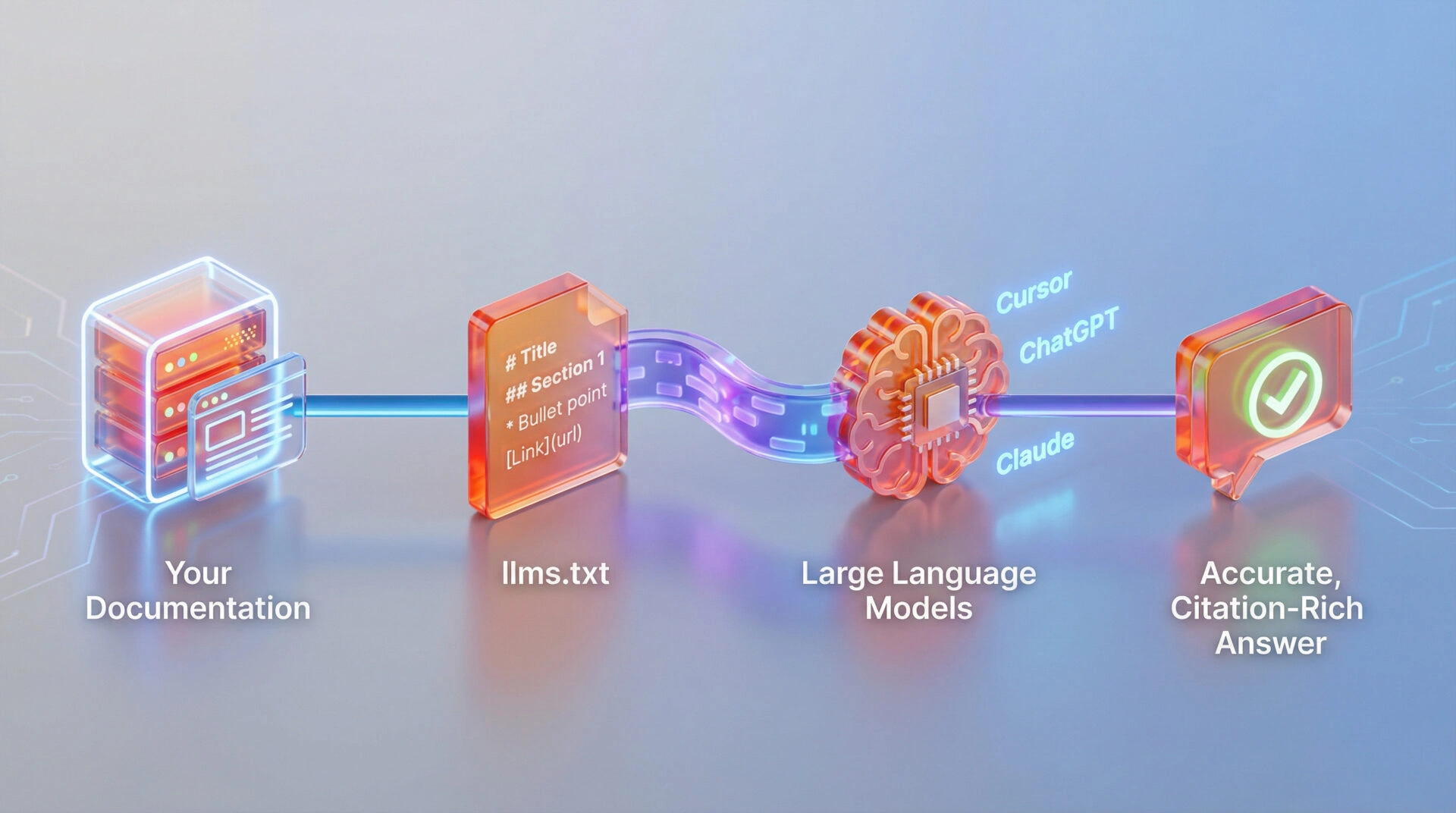
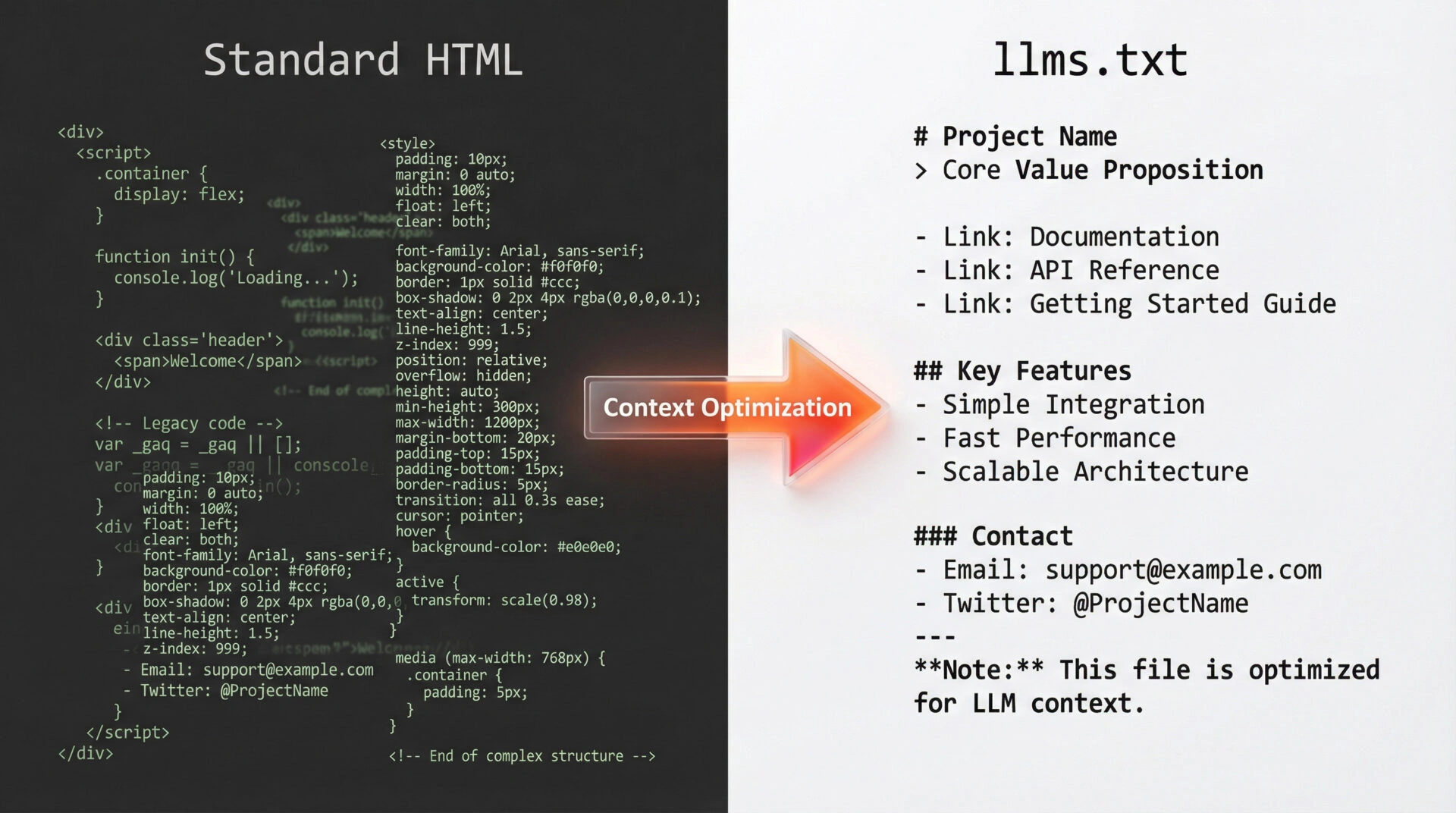
The file functions differently from traditional HTML pages designed for human browsers. llms.txt strips away visual noise such as CSS, JavaScript, and ads to deliver pure semantic signal to AI systems.
The Core Purpose: Bridging Websites and Large Language Models
Context optimisation is the primary function of llms.txt. AI models often struggle to parse complex website navigation or heavy JavaScript frameworks efficiently. Webmasters ensure that tools like Cursor, CoPilot, or ChatGPT can “read” a site without hallucinating by offering a clean, text-based map of important documentation.
The concept acts as an “API for content.” Publishers are not just hoping the AI scrapes the site correctly; they are handing it the manual.
How llms.txt Differs from robots.txt and sitemap.xml
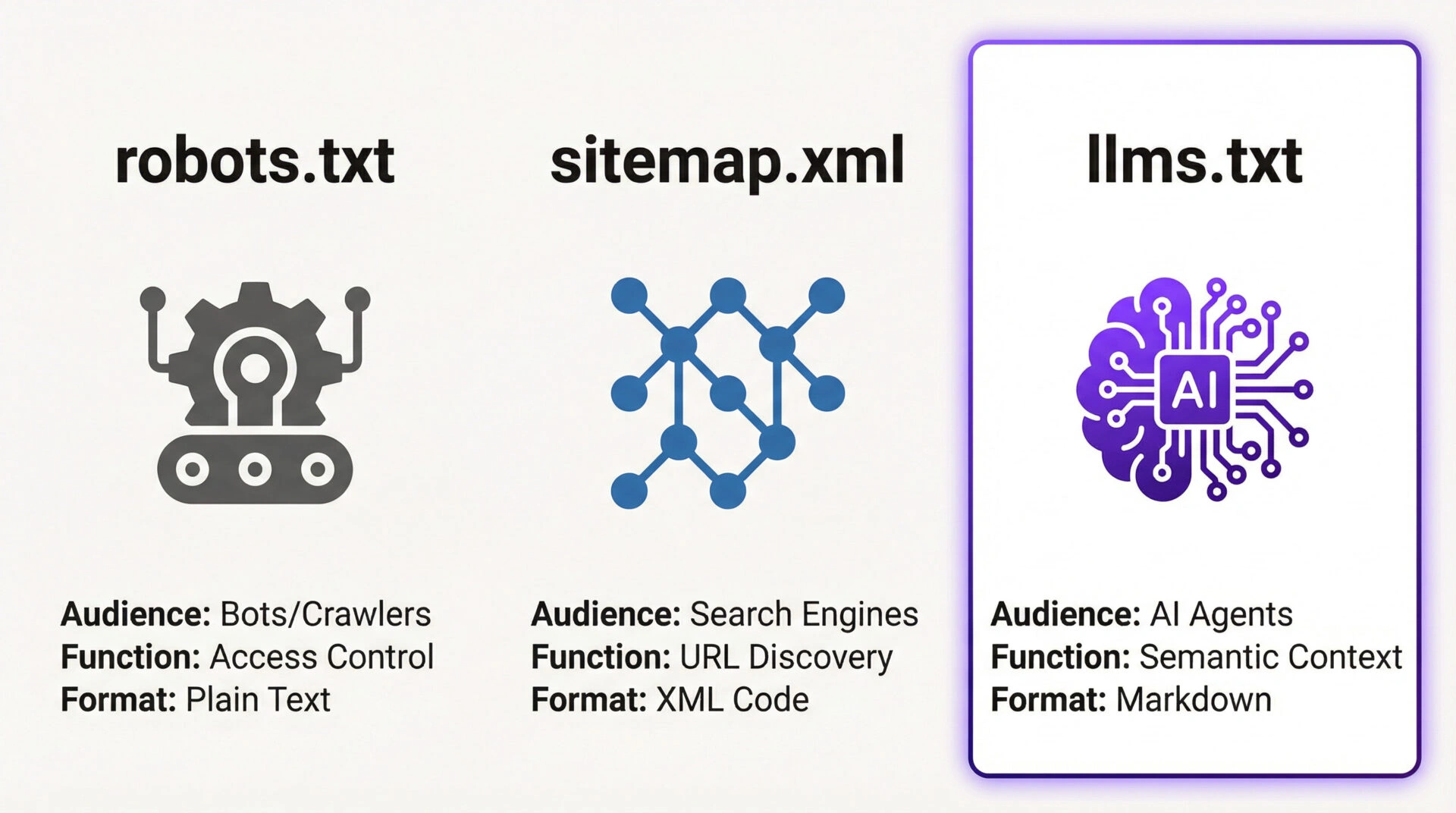
llms.txt distinguishes itself from standard web files by providing semantic context rather than simple access rules or URL lists. robots.txt restricts crawler access and sitemap.xml aids URL discovery, whereas llms.txt functions as a dedicated instruction manual for AI agents.
robots.txt operates as a directive file (Entity → Attribute → Value). It commands bots on where they are permitted or forbidden to crawl.
sitemap.xml serves as a discovery file (Entity → Attribute → Value). It lists URLs to ensure search engines index specific pages.
llms.txt acts as a context file (Entity → Attribute → Value). It delivers a summarised, token-optimised map of content specifically for Large Language Models.
Comparison: The Three Core Web Files
|
Feature |
robots.txt |
sitemap.xml |
llms.txt |
|---|---|---|---|
|
Primary Audience |
Search Crawlers (Bots) |
Search Engines |
AI Agents & LLMs |
|
Core Function |
Access Control (Allow/Disallow) |
Discovery (URL List) |
Context & Understanding |
|
File Format |
Plain Text |
XML |
Markdown |
|
GEO Value |
Low (Blocking) |
Medium (Indexing) |
High (Citation & Accuracy) |
The Rise of AIO (AI Optimisation) and GEO (Generative Engine Optimisation)
Generative Engine Optimisation (GEO) is the strategic process of formatting content to rank in AI-generated answers like ChatGPT or Google AI Overviews. llms.txt serves as the technical foundation for GEO strategies by feeding clean data directly to inference models.
AI Overviews (AIO) rely heavily on structured text to generate accurate summaries. llms.txt increases the probability of inclusion in these overviews by reducing the computational cost required for an AI to parse a website.
Why You Need an llms.txt File Now
Improving Accuracy for AI Agents and Coding Assistants
Developers and technical users frequently use AI coding assistants like Cursor or GitHub Copilot. These agents look for llms.txt to understand a library’s syntax and functions quickly when accessing documentation. Absence of this file forces the AI to guess based on fragmented scrapes, leading to outdated or incorrect code suggestions.
Reducing Hallucinations About Your Documentation or Product
Hallucination is the tendency of LLMs to invent facts when they lack clear data. An llms.txt file mitigates this risk by supplying the “ground truth.” AI systems rely less on probabilistic guessing and more on stated facts when provided with a summarised, authoritative source of information.
Saving Token Usage with Concise Context
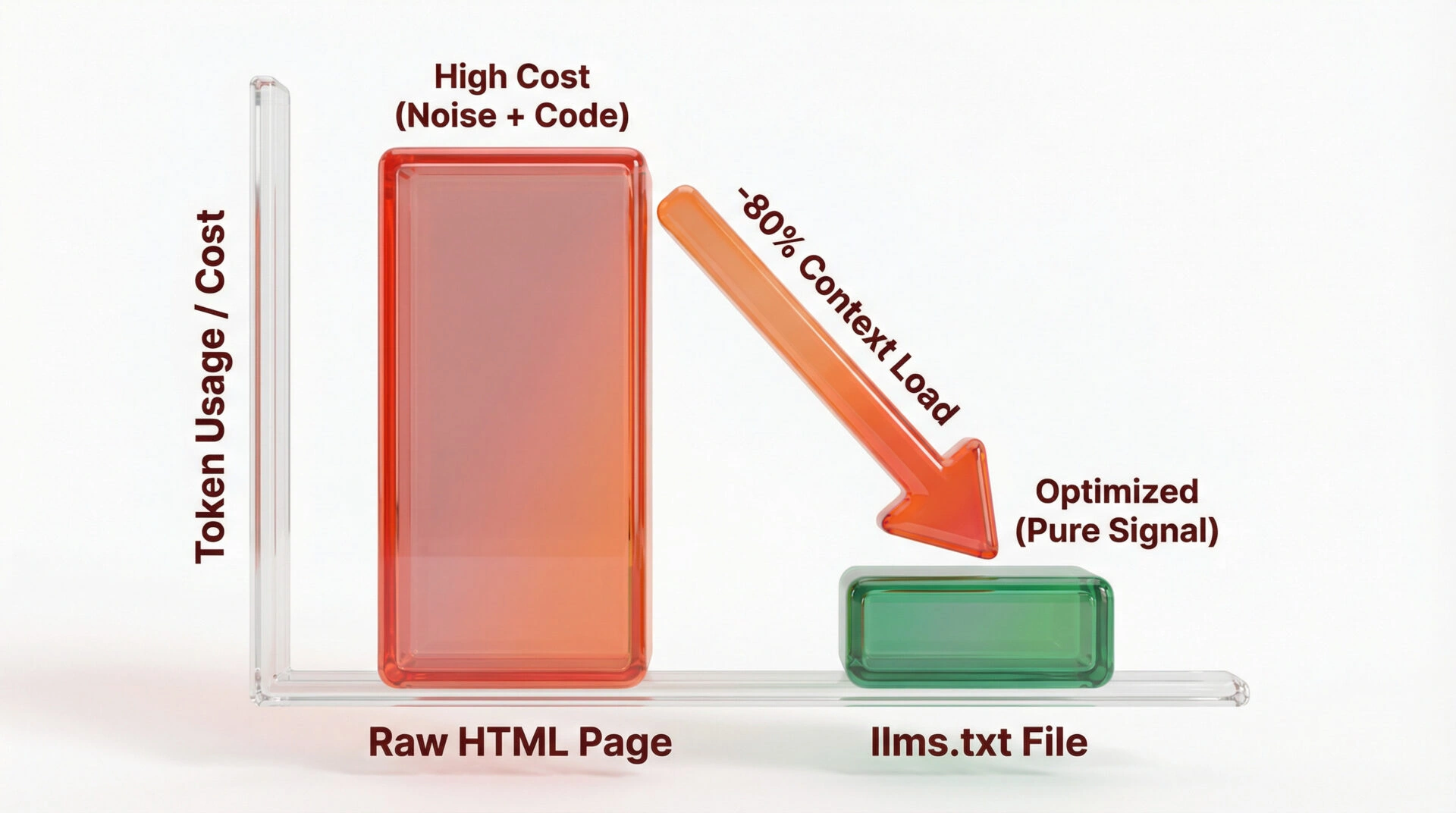
LLMs operate on “context windows” measured in tokens. Sending a full HTML page with messy code wastes these tokens. An llms.txt file provides a condensed version of a site, allowing the AI to process the entire documentation structure using fewer tokens. This efficiency makes the site “cheaper” and faster for AI tools to process.
Step-by-Step: What Is llms.txt, How to Write It and Use It
Step 1: Planning Your Content Strategy
The first step involves identifying the core entities and documentation users ask AI about most. SaaS platforms should list API endpoints and authentication guides. Publishers should list core topic clusters. The goal is to list the top 10 to 20 URLs that define the site’s value proposition.
Step 2: Structuring the File (The Standard Format)
The structure of llms.txt is simple but strict. It typically consists of a header with metadata, a summary section, and a list of links to markdown-formatted content.
Step 3: Writing the ‘Summary’ Section
The summary serves as a high-level overview of the project or website. Language should be natural but dense with keywords and entity definitions.
Example:
“FastAPI is a modern, fast (high-performance) web framework for building APIs with Python 3.6+ based on standard Python type hints.”
Step 4: Linking to Markdown Files
Linking to clean Markdown versions of pages is crucial. Webmasters should avoid linking to HTML pages if possible. Generative engines prefer .md versions of key pages linked here.
Format: - [Page Title](https://example.com/docs/page.md): Brief description of what this page covers.
Technical Implementation: Creating the File
Creating an llms.txt file involves generating a concise Markdown document at the domain’s root that summarises key entities and links to clean documentation. The process requires separating high-level context from detailed content to suit varying AI token limits and ensuring zero syntax errors for machine readability.
The Difference Between /llms.txt and /llms-full.txt
llms.txt is a concise summary file intended for initial discovery and context injection within limited token windows. Ittypically contains a project overview and links to specific .md files.
llms-full.txt is a complete documentation dump intended for comprehensive ingestion by models with large context capabilities. This file concatenates the entire knowledge base into a single stream of text for deep learning or RAG (Retrieval-Augmented Generation) applications.
Best Practices for Formatting (Markdown vs. Text)
Markdown is the optimal format for llms.txt files because LLMs are trained to recognise its structural hierarchy (headers, lists, code blocks) inherently.
Plain text files lack the semantic signals required for accurate data parsing. The file must utilise standard Markdown syntax (such as # for headers and [Link](url) for hyperlinks) to ensure the AI understands the weight and relationship of information.
Example Code Snippet: A Template You Can Copy
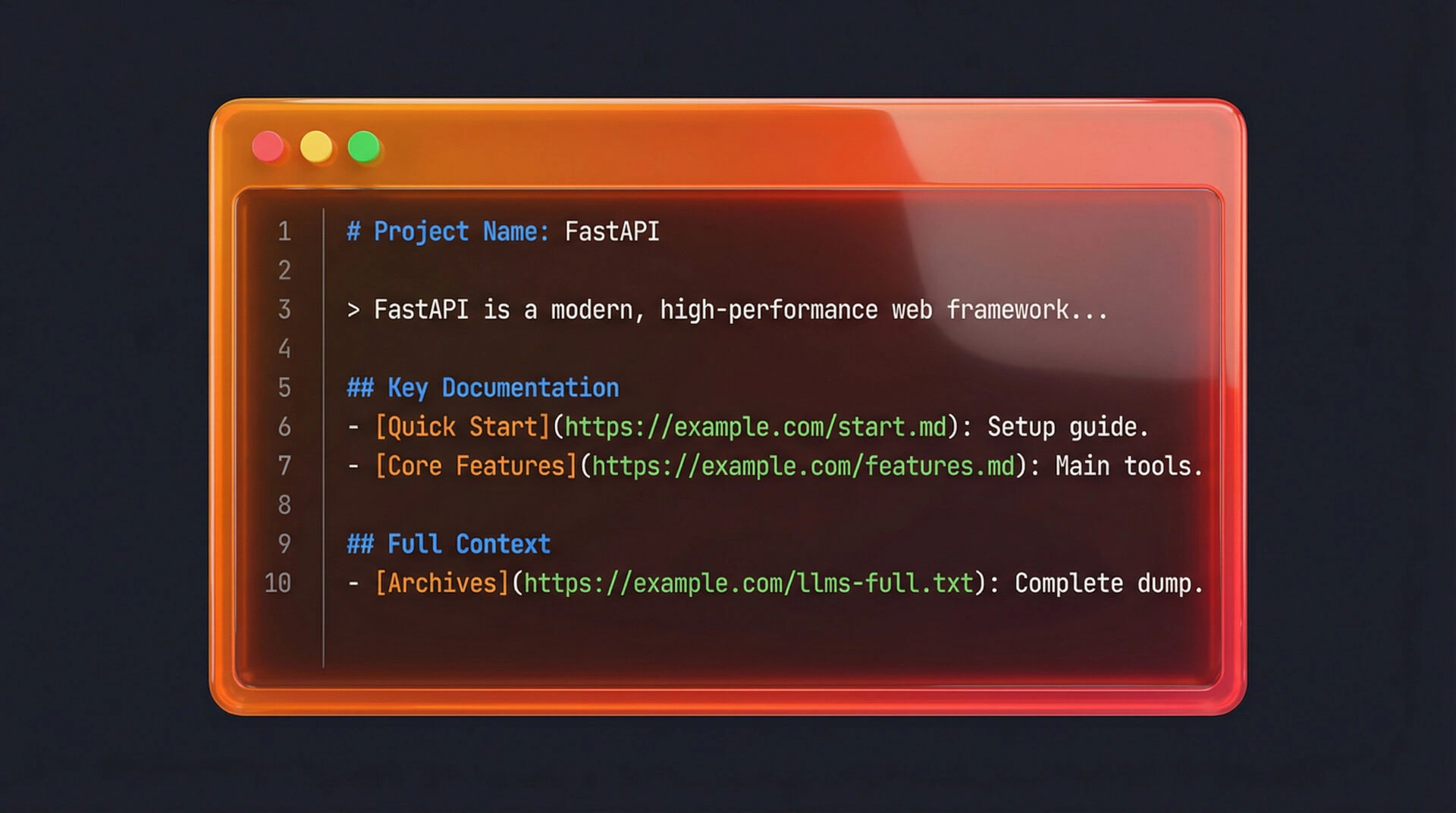
Standard Markdown ensures compatibility across all major AI agents. llms.txt should follow this strict structure:
# Project Name: [Entity Name]

> [Entity Name] is a [Category] that provides [Value Proposition] for [Target Audience].

## Key Documentation

- [Quick Start](https://example.com/docs/start.md): Time: 5 mins. Setup guide.
- [Core Features](https://example.com/docs/features.md): Benefit: Efficiency. Main tools.
- [API Reference](https://example.com/docs/api.md): Risk: Breaking changes. Endpoints.

## Full Context
- [Complete Archives](https://example.com/docs/llms-full.txt): All docs in one file.
How to Use and Deploy llms.txt on Your Website
Where to Where to Place the File (Root Directory)
Placement is non-negotiable. You must place the llms.txt file in the root directory of the domain (e.g., https://yourdomain.com/llms.txt). This location mimics the standard established by robots.txt and ensures automated discovery tools know exactly where to look.
Deploying on WordPress, Wix, and Custom Sites
- Custom/Static Sites: Drop the file into the
/publicor/staticfolder. - WordPress: Upload the file via FTP to the root folder or use a file manager plugin. Note: Ensure
.htaccessor Nginx config allows access to.txtfiles in the root. - Wix/Squarespace: These platforms often restrict root file access. Workaround: Host the file on a subdomain (e.g.,
docs.yourdomain.com/llms.txt) or use a redirect.
Validating Your File: How to Test If It Works
Validation is simple. Navigate to yourdomain.com/llms.txt in a browser. The file is live if it loads as raw text. Test functional utility by feeding the URL to an AI tool (like ChatGPT or Claude) and asking it to “Read the context at [URL] and summarise the installation steps.”
Real-World Use Cases: Who Benefits Most?
For Developers: Streamlining API Documentation
Developers gain the most immediate benefit. Adding llms.txt effectively makes a library “AI-native.” AI Agents can fetch llms.txt to generate 100% syntactically correct code when a user asks to “write code using [Your Library],” reducing support tickets and GitHub issues.
For Marketers: Controlling Brand Narratives in AI Search
Marketers use llms.txt to control the brand story. You avoid letting Google’s AI Overview scrape a random blog post about the company by providing the definitive “About Us” and “Product Benefits” in the llms.txt summary. This strategyensures the AI repeats your value proposition.
For SaaS Companies: Enhancing Onboarding and Support
SaaS companies can reduce churn by making help docs AI-readable. Users often paste error logs into ChatGPT. The AIcan instantly match the error to a specific solution if troubleshooting guides are in llms.txt, acting as a free, automated Level 1 support agent.
Future-Proofing: How AI Tools Consume This Data
Integration with Cursor, ChatGPT, and Claude
Cursor (an AI code editor) explicitly looks for llms.txt to index documentation for autocomplete features. Anthropic’s Claude and OpenAI’s ChatGPT are increasingly being directed by power users to “read the docs” via these files. The format is becoming the de facto standard for “AI readability.”
The Role of llms.txt in RAG (Retrieval-Augmented Generation)
RAG is the technique where an AI retrieves external data to answer a query. llms.txt is the perfect data source for RAG pipelines because it is already cleaned, structured, and token-optimised. It removes the need for complex scraping and cleaning steps in the RAG process.
FAQs
Conclusion: Start Optimizing for the AI Internet Today
The internet is shifting from “human-first” to “human-and-AI.” Creating an llms.txt file is a low-effort, high-reward step that future-proofs content. Webmasters ensure their documentation, brand, and products are understood, cited, and used correctly by the most powerful digital tools of the next decade by speaking the language of Large Language Models directly.
Ready to Optimise Your Site for the AI Era?
Holistic SEO requires more than just keywords; it demands technical readiness for the next generation of search. Ulement specialises in advanced Technical SEO and Generative Engine Optimisation strategies that keep your brand ahead of the curve.