A Technical SEO Migration is a strategic site restructuring process designed to transfer search engine ranking signals from legacy URLs to new destinations. While minor volatility (4-12 weeks) is naturally expected during re-crawling, this protocol ensures that authority, relevance, and technical health are preserved to prevent permanent traffic loss.

What is a Technical SEO Migration?
Technical SEO Migration is a data-critical operation moving a website’s core structure while retaining search visibility.
- Entity: Technical SEO Migration
- Attribute: is a data-critical operation
- Value: moving a website’s core structure while retaining search visibility.
The Architecture Connection
Technical SEO Migration serves as the primary mechanism to rectify fundamental Technical SEO Architecture flaws. Legacy codebases often prevent the implementation of modern rendering strategies or flat taxonomy structures. Consequently, the role of a Technical SEO Architect becomes essential to reset the foundation without the limitations of the previous stack.
Types of Migrations
- Protocol Changes: Switching from HTTP to HTTPS to secure user data.
- Subdomain to Subfolder: Consolidating authority by moving separate blogs or shops into the main root domain.
- CMS Re-platforming: Shifting to headless architectures or handling complex transitions, such as migrating Joomla to WordPress, to improve CMS flexibility.
- Domain Name Changes: Rebranding efforts that require a complete authority transfer.
Why Do Migrations Fail? The Architectural Gap
Migrations fail when the Technical SEO Architecture is not mapped effectively to the new environment. This often happens when aesthetic decisions override structural logic, a classic example of why beautiful websites are broken for search engines if the underlying code cannot be parsed.
The “Silent Killer”: JavaScript Rendering
JavaScript rendering mismatches occur when the new site relies on client-side rendering that search bots cannot parse. If the content is not visible in the initial DOM (Document Object Model), search engines may de-index the page entirely.
The Taxonomy Trap
Changing URL structures without mapping user intent destroys relevance. If a category page is deleted or moved without a direct equivalent, the semantic relationship between the site and the user query is broken.
Loss of Signals
Breaking the redirect chain resets authority immediately. A redirect chain (Page A > Page B > Page C) dilutes the link equity passed from external sources. The Technical SEO Migration protocol demands a direct 1:1 mapping (Page A > Page C) to preserve 100% of the value.
Phase 1: Planning and Architectural Gap Analysis
Phase 1 is the data gathering stage. Before any code is moved, you must execute a comprehensive Pre-Redesign SEO Audit to set the performance baseline for the new architecture.

1. How Do We Define the Architectural Scope?
Architectural Scope is a project boundary definition comparing the current URL taxonomy against the proposed destination structure.
- Entity: Architectural Scope
- Attribute: is a project boundary definition
- Value: comparing the current URL taxonomy against the proposed destination structure.
Technical SEO Architecture often suffers when new CMS limitations force a change in URL depth. Identify if the new platform forces a flat structure (domain.com/product) versus a deep structure (domain.com/category/sub-category/product) early in the process.
2. Full Site Crawl and Data Backup
Screaming Frog or Lumar must be used to crawl every accessible URL. Secure a complete export of:
- URLs (Status Codes)
- Page Titles and H1s
- Meta Descriptions
- Canonical Tags
- Custom Extraction (Publish Dates, Author Names)
3. How Do We Benchmark Current Performance?
Performance Benchmarking is a measurement process recording traffic and speed metrics prior to code changes.
- Entity: Performance Benchmarking
- Attribute: is a measurement process
- Value: recording traffic and speed metrics prior to code changes.
Analyse server logs to understand current bot behaviour. Identify the top 20% of keywords driving 80% of the traffic and record the Core Web Vitals (LCP, INP, CLS) scores to ensure the new site does not regress.
4. Identify Priority Pages (The “Do Not Fail” List)
Priority Pages are high-value URLs generating significant revenue or possessing high backlink equity. These pages cannot return a 404 error. They must map to an exact equivalent on the new site to maintain commercial viability.
5. Plan the Rollback Strategy
Rollback Strategy is a contingency plan defining the technical steps to revert to the old site if the launch fails. This is a critical safety phase within the broader Website Migration Cycle.
- Entity: Rollback Strategy
- Attribute: is a contingency plan
- Value: defining the technical steps to revert to the old site if the launch fails.
Set the “Kill Switch” parameters clearly. If traffic drops by more than 20% within 48 hours or if critical conversion paths break, the team must be ready to revert DNS settings immediately.
Phase 2: Staging and Technical Validation
Phase 2 is the testing environment where the new Technical SEO Architecture is validated against search standards.

1. How Should We Secure the Staging Environment?
Staging Environment Security is a protection protocol preventing search engines from indexing unfinished site versions.
- Entity: Staging Environment Security
- Attribute: is a protection protocol
- Value: preventing search engines from indexing unfinished site versions.
Use HTTP Basic Auth as the primary barrier. This method requires a password to access the site, ensuring that Googlebot cannot crawl the content. Do not rely solely on Robots.txt rules, as they do not prevent the indexing of staging URLs if external links point to them. Use Robots.txt as a secondary layer only.
2. Mobile-First Rendered DOM Analysis
Compare the raw HTML against the rendered HTML using a Mobile User Agent. Since Google indexes strictly based on the mobile version, the desktop view is secondary. The new site must adhere to strict Mobile-First Web Design principles, ensuring content is visible in the mobile DOM without user interaction.
3. The 301 Redirect Map (1:1 Mapping)
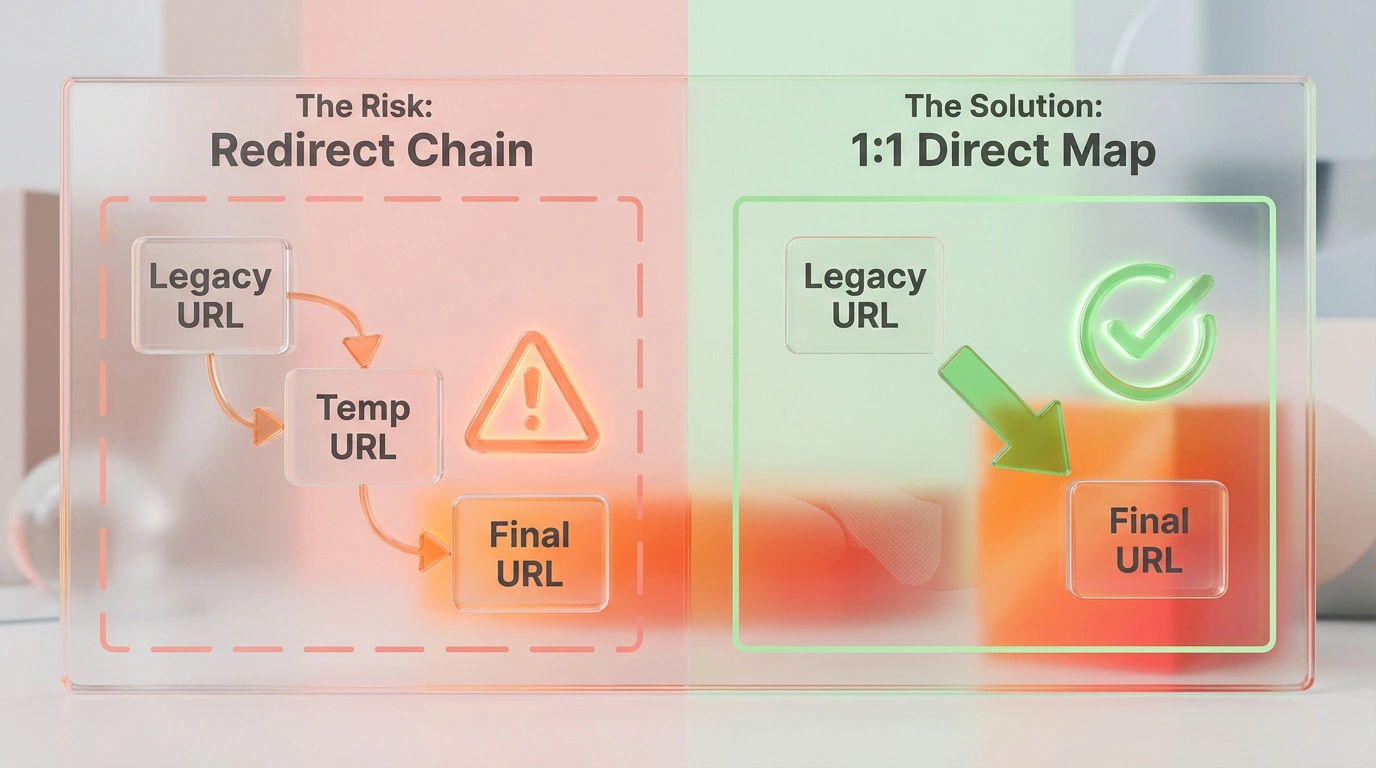
301 Redirect Mapping is a routing instruction sending users and bots from an old URL to a permanently new address.
- Entity: 301 Redirect Mapping
- Attribute: is a routing instruction
- Value: sending users and bots from an old URL to a permanently new address.
Avoid redirect chains. Map the legacy URL directly to the final destination URL. Use Regex (Regular Expressions) to handle bulk directory moves efficiently, but verify that specific high-value pages are not caught in broad pattern matches.
4. Hreflang and Canonical Validation (International SEO)
Hreflang Validation is a code audit ensuring that international and regional signals are correctly mapped to the new URLs.
- Entity: Hreflang Validation
- Attribute: is a code audit
- Value: ensuring that international and regional signals are correctly mapped to the new URLs.
For global sites, verify that self-referencing canonicals point to the new URL structure. Ensure that Hreflang tags update dynamically to reflect the migration. Dropping these tags causes Google to de-index regional variations (e.g., en-gb vs. en-us).
5. Schema and Structured Data Portability
Validate that Organization, Product, and Breadcrumb schema markup exists on the new templates. Structured Data helps search engines understand the entity relationships on the page. Losing this markup during migration can result in the loss of Rich Snippets in the SERP.
6. Content Freeze and Internal Link Updates
Stop publishing on the old site 3-5 days before the launch. Update absolute internal links on the staging site. Internal links must point to the new domain structure, not the staging URL or the old legacy URL.
Phase 3: Launch Day Execution
Phase 3 is the critical switchover window where DNS settings are updated and the new site becomes live.
1. Why Lower TTL (Time to Live) Settings?
TTL Settings are DNS configurations controlling how long a server caches the IP address information.
- Entity: TTL Settings
- Attribute: are DNS configurations
- Value: controlling how long a server caches the IP address information.
Lowering TTL to 300 seconds (5 minutes) 24-48 hours before launch ensures that the DNS propagates rapidly across the globe when the switch is flipped.
2. Remove Staging Barriers and Update Robots.txt
Remove the HTTP Basic Auth password protection. Update the robots.txt file immediately to allow crawling of all critical resources, including CSS and JavaScript files. Failure to unblock these resources will prevent Google from rendering the page correctly.
3. DNS Switch and SSL Validation
Verify the SSL certificate is valid immediately. A Technical SEO Migration to a non-secure site will result in browser warnings and a massive drop in trust. If maintenance is required during the propagation, serve a 503 Service Unavailable status code to tell bots to come back later, rather than serving 404s.
4. Submit New XML Sitemap to GSC
XML Sitemap Submission is a notification signal alerting search engines to crawl the new URL structure.
- Entity: XML Sitemap Submission
- Attribute: is a notification signal
- Value: alerting search engines to crawl the new URL structure.
Keep the old sitemap in Google Search Console for 30 days. This helps Google process the redirects faster. Submit the new sitemap to encourage discovery of the fresh URLs.
Phase 4: Post-Migration Monitoring and Regression
Phase 4 is the stabilisation period focused on fixing errors and reclaiming lost value.
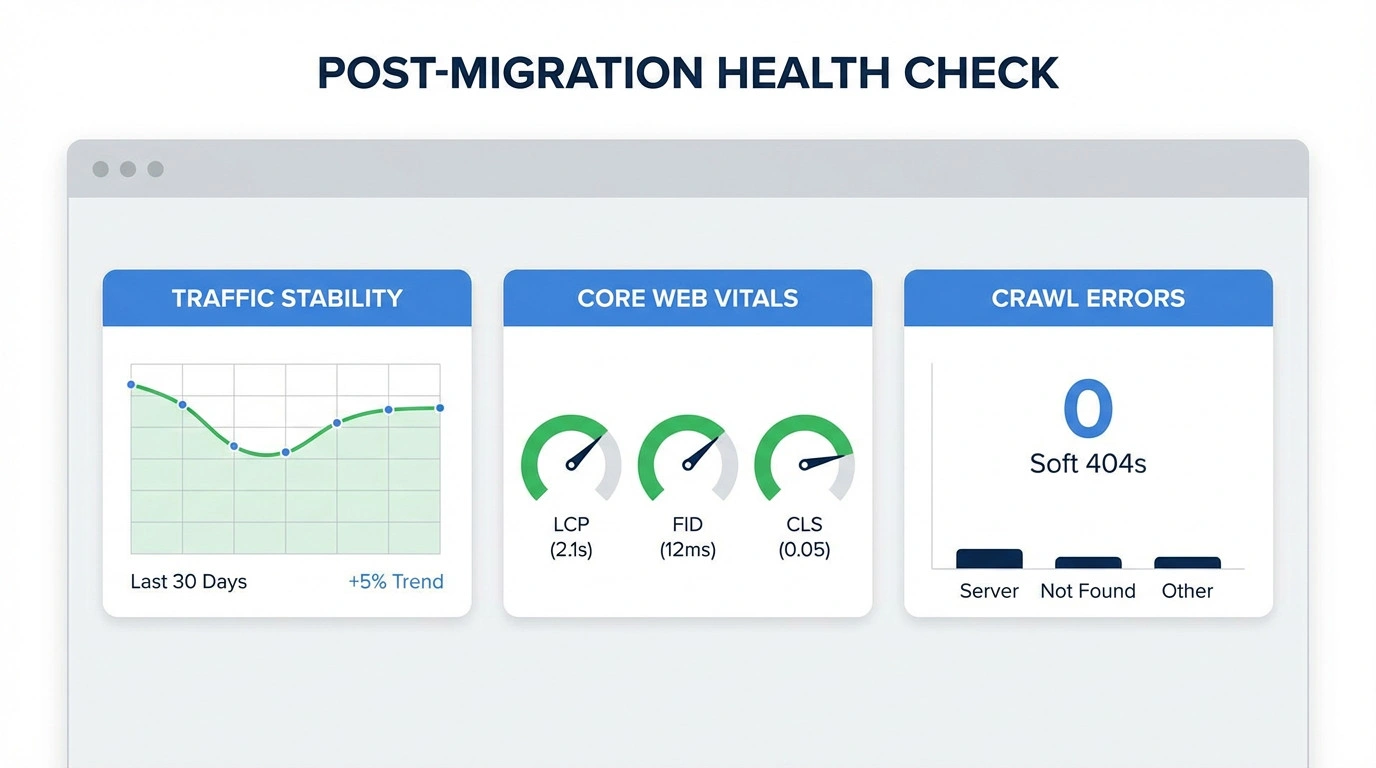
1. Real-Time Traffic Analysis (GA4)
Verify that the page_view event is firing correctly. Ensure that referral sources are not being stripped by the redirects. A sudden spike in “Direct” traffic often indicates that referral data is being lost during the redirect process.
2. Core Web Vitals Regression Test
CWV Regression Testing is a quality assurance check measuring user experience metrics after deployment.
- Entity: CWV Regression Testing
- Attribute: is a quality assurance check
- Value: measuring user experience metrics after deployment.
Did the new design introduce Layout Shift (CLS) or interaction latency (INP)? Technical SEO Architecture must prioritise speed. If the new site is slower, rankings will suffer regardless of the redirect accuracy.
3. Crawl Error Resolution (Soft 404s)
Monitor the “Excluded” reports in Google Search Console. Soft 404s occur when a page returns a 200 OK status but displays an empty or “not found” page. Fix these immediately by setting a proper 404 status or populating the page with relevant content.
4. Backlink Reclamation (Outreach)
Contact high-value referring domains. Ask them to update their links to point directly to the new URL. This bypasses the redirect, ensuring that 100% of the link equity is passed to the Technical SEO Migration destination.
Common Pitfalls in Technical Migrations
- Leaving Staging Indexed: Allowing Google to index the staging site creates duplicate content issues that dilute the authority of the main domain.
- Forgetting Analytics: Launching without GTM or GA4 containers results in a complete loss of data visibility during the most critical 48 hours.
- Ignoring Image Redirects: Failure to redirect image URLs leads to a total loss of Google Images traffic, which can be significant for e-commerce sites.
Essential Migration Tools
- Crawlers: Screaming Frog, DeepCrawl (Lumar).
- Monitoring: Google Search Console, Better Uptime.
- Analysis: Ahrefs (Backlink data), SE Ranking.
Conclusion: Architecture is the Foundation of Migration
A Technical SEO Migration is not merely moving files; it is a critical evolution of your digital presence. To ensure long-term resilience against algorithm updates, this process should be viewed as part of a continuous Adaptive SEO Framework.
Success requires precision planning, rigorous testing, and swift execution.
Next Step: Do not leave your traffic to chance. Review your site’s structural health and book a professional Website Migration SEO Audit before you migrate.